
.png)
A behind-the-scenes walkthrough from the team that runs implementations. Part 2 of 3.
A standard 2way implementation runs in 48 hours. A custom build runs in two to three weeks. In that window, we move from the first discovery call to a fully running system ready for launch, across both physical stores and an online storefront. For the full introduction to the series and the preparation stages, see Part 1.
This post covers production, setup, and integration.
In Part 1, we cover goal definition and creative preparation.
In Part 3, we cover launch, measurement, and optimization.
Stage 1: Physical location selection
For clients with stores, this stage is about where the tags go. Placement drives results more than design does. The documented benchmark for well-placed NFC tags is 30 opt-ins per day on average, with top-performing locations reaching 60 per day.
We walk through the client's store layouts and flag the zones that consistently convert best: the checkout counter, fitting rooms, store entrances, and promotional zones. Each tag has a unique identifier, which lets us see which location generated a sign-up, down to the specific spot in a specific store, and which city the scan came from. That data feeds back into measurement once the pilot launches.
Stage 2: Sticker design and production
We handle the tag production. The client sends their design, or we adapt one from 2way Studio, and we prepare the physical stickers. Each tag carries both an NFC chip and a quick response (QR) code, so the customer can pick whichever method their phone supports best. The client does not source, print, or assemble anything on their side. Finished tags arrive ready to place in the selected store zones.
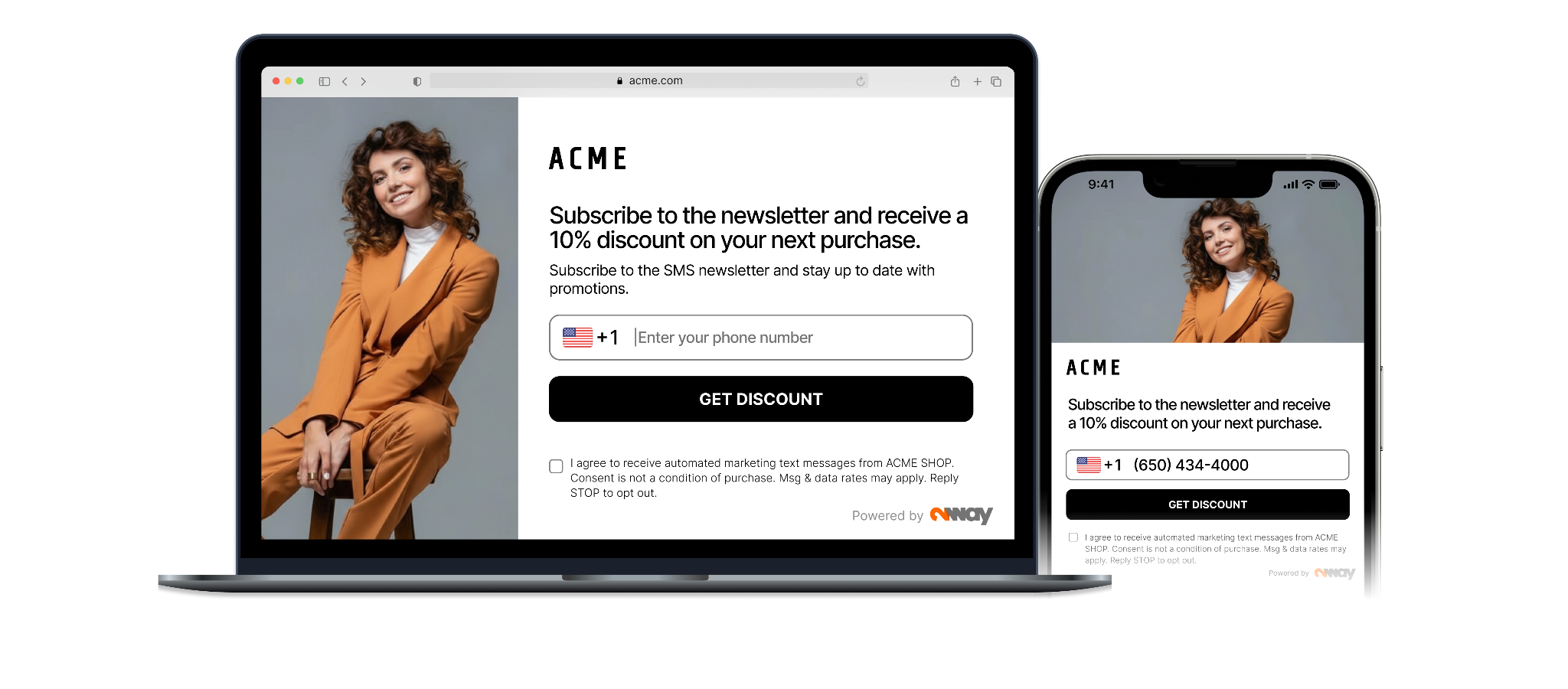
For the online side, we prepare the popup design in parallel. Standard template builds take 48 hours. Custom popup builds take two to three weeks. The result is the same either way: a popup that opens a sign-up form, passes the phone number through one-time password (OTP) verification, and delivers a unique discount code on confirmation.

Stage 3: Landing page setup
The SMS landing page is the single destination for every sign-up, whether the traffic came from a QR scan in a fitting room, an NFC tap at a checkout, or a popup on the website. Every route points to the same page, writes to the same database, and runs the same verification flow.
We set up the form fields, the marketing consent options, and the data the client wants to collect. The landing page is hosted on 2way infrastructure, so the client does not host or maintain anything on their side.
We also configure the consent flow at this stage. This covers the exact opt-in wording shown on the form, the unsubscribe mechanism, and the consent record itself. Every completed opt-in is logged with a defined set of fields: timestamp, internet protocol (IP) address, device type, the exact consent copy shown, language version, popup version, country, channel selected, and the OTP confirmation timestamp. Unsubscribe events are logged the same way. If a regulator or a subscriber later asks whether a specific person consented or was unsubscribed, the full record is exportable on request
Stage 4: SMS and WhatsApp configuration
The confirmation message goes out the moment a customer completes OTP verification. It carries the discount code, the loyalty code, or the sign-up confirmation, and it is the first thing the subscriber sees from the brand after signing up.
We prepare this automated message in every language the pilot runs in. Studio handles the per-market adaptation. About 95% of the users who receive the OTP complete the confirmation, so the volume coming through this message is real.
Stage 5: Integration with client systems
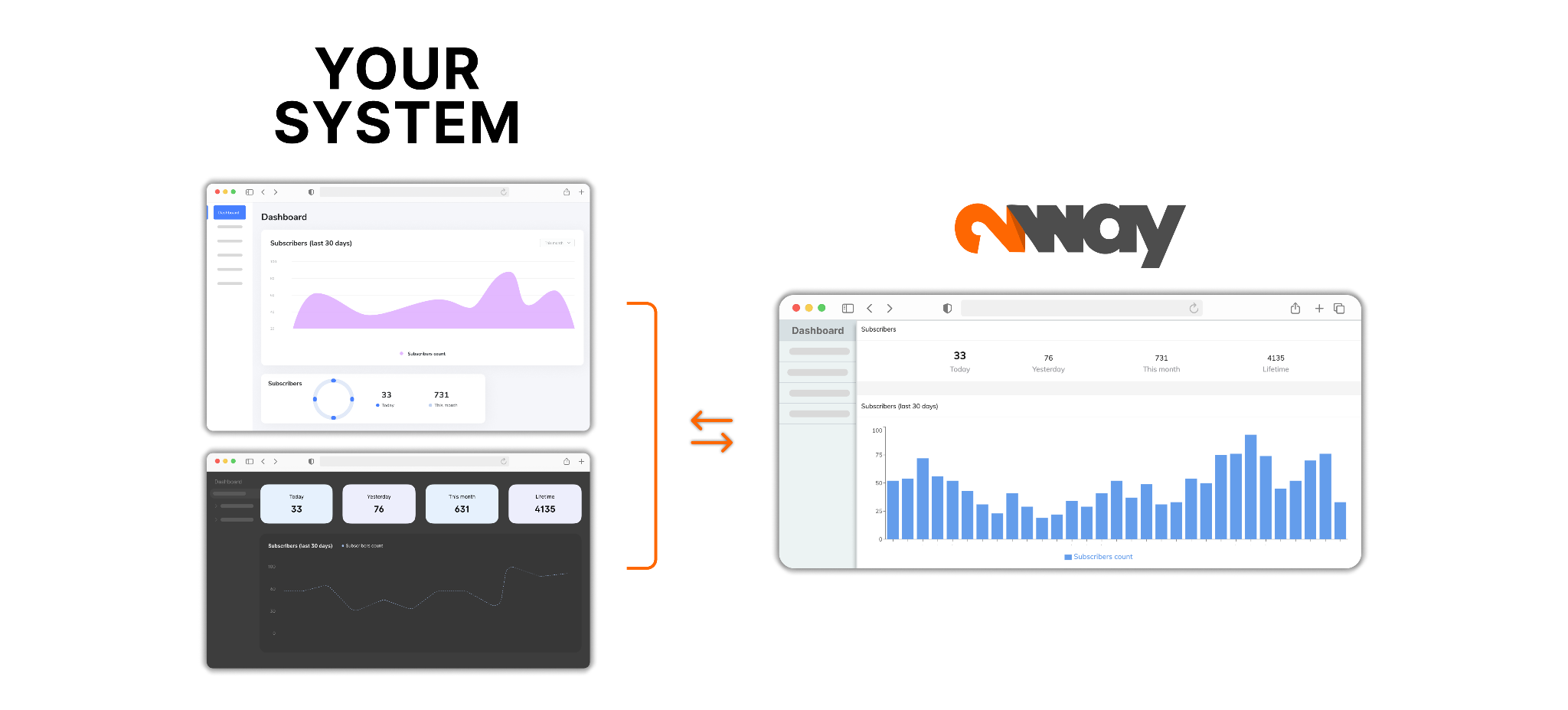
Next we connect 2way to the client's existing stack. New verified contacts flow into the client's customer relationship management (CRM) system, customer data platform (CDP), or marketing automation tool through application programming interface (API) or webhook. Once the connection is set up, data moves between the systems automatically, without manual export or upload.
The integration runs in both directions. Duplicate checks run against the client's existing database before a new contact is pushed. Unsubscribes flow back to 2way so the compliance record stays in sync across both systems. If the client prefers to work outside the 2way panel or pull data into their own reporting, full export is available at any time.
What is ready at the end of the production stages
By the end of Stage 5, the implementation has its physical and digital infrastructure in place. The NFC and QR tags are ready for the selected store zones. The popup is built and ready to deploy on the website. The landing page is live on 2way infrastructure, with the consent flow and audit trail configured. The automated confirmation message is prepared in every language the pilot covers. The integration with the client's CRM and other marketing systems is configured and waiting for the first verified contact to push through.
The full flow has been built, but no customer has walked through it. That is what the final phase is for.
In Part 3, we cover the last three stages: end-to-end testing, pilot launch with real traffic, and the optimization cycle that runs from launch onward.
Continue to Part 3
FAQ
Where should NFC stickers be placed in a store?
In the zones that consistently convert best: the checkout counter, fitting rooms, store entrances, and promotional zones. Placement drives results more than design does. The documented benchmark for well-placed NFC tags is 30 opt-ins per day on average, with top-performing locations reaching 60 per day. Each tag carries a unique identifier, so the data shows which specific spot in which specific store generated each sign-up.
Does the client have to print and assemble NFC tags themselves?
No. 2way handles the tag production. The client sends their design, or 2way adapts one, and the physical stickers arrive ready to place in the selected store zones. Each tag carries both an NFC chip and a QR code, so the customer can use whichever method their phone supports best. The client does not source, print, or assemble anything on their side.
What consent information is captured at sign-up?
Every completed opt-in is logged with a defined set of fields: timestamp, IP address, device type, the exact consent copy shown, the language version, the popup version, the country, the channel selected, and the OTP confirmation timestamp. Unsubscribe events are logged the same way. If a regulator or a subscriber later asks whether a specific person consented or was unsubscribed, the full record is exportable on request.
How does 2way integrate with an existing CRM?
Through API or webhook connections that move data automatically between systems once the connection is set up. New verified contacts flow into the client's CRM, customer data platform, or marketing automation tool, with no manual export or upload required. Duplicate checks run against the client's existing database before a new contact is pushed, and unsubscribes flow back to 2way so the compliance record stays in sync across both systems.
What happens after a customer confirms their phone number?
The confirmation message goes out automatically. It carries the discount code, the loyalty code, or the sign-up confirmation, and it is the first thing the subscriber sees from the brand after signing up. The message is prepared in every language the pilot runs in. About 95% of users who receive the OTP complete the confirmation, so the volume reaching this message is real.
More from the blog


See what your own stores would collect
We'll set up a pilot placement in one of your locations and show you the verified contacts it produces, before you commit to anything wider.
